
Preview, annotate and review
BabelViewer, annotation, hand drawing, voice annotation, version comparison and review collaboration.

For related preview, search, OCR and format-processing capabilities, see Search and OCR Image Recognition.
Detailed description
In order to allow users to more conveniently preview files and conduct collaborative discussions while previewing files to improve collaboration efficiency, Babel has developed BabelViewer. Most file formats that can be previewed on Babel can be opened with the previewer. Babel Previewer can not only preview files, but also communicate with collaborators on file content through hand-drawing, text discussion, voice (only mobile APP supports the creation of voice annotations) and other methods. At the same time, BabelBird Previewer also supports version comparison, switching versions to view different version annotations, annotation management, approval management and other functions.
Technical architecture
- Use canvas development and multi-layer technology
The previewer is developed based on Html5 Canvas technology and uses multi-layer technology to add annotation and hand-drawing layers on top of the file preview layer. It does not affect the file content but allows for annotation discussion and real-time hand-drawing.
Real-time collaboration module
The real-time collaboration module of the previewer ensures that the annotation discussions and hand-drawings of multiple users are displayed in real time when previewing files, which means that users can discuss issues with documents or design manuscripts while annotating.
- Annotation point coordinate system positioning
The Babel previewer uses coordinate system positioning to ensure that the annotation points are in the same position under different resolution screens and different browser sizes.
Applicable file types
BabelBird Previewer can open most pictures and office documents, PDF documents and vector graphics files. For specific supported file types, please refer to the File Types Supported for Online Preview in the Preview and Transcoding chapter.
Previewer type
- Multi-page document previewer
Supports preview of multi-page documents, such as word, PPT, PDF and other formats. For multi-page documents, it provides functions such as table of contents, zooming in, and page rotation that are suitable for multi-page documents.
- Image previewer
Designed for better preview images. It has functions such as eagle eye, zoom in and out, display original proportion, rotation, etc.
Right-click to copy the image to the clipboard, making it easy to paste the image directly in WeChat or email.
For images with transparency such as PNG, you can change the image background.
- Graphic previewer
Designed to preview vector graphic files such as CAD, SVG, single-page PDF, etc., it supports eagle eye, layered display, background change, mouse dragging area enlargement, and vector enlargement. You can switch the encoding mode for SVG files.
- 3D previewer
In order to preview the 3D file design, you can rotate, zoom in and out the 3D file with the mouse wheel, explode the image, and support annotation in 3D space.
Comment type
- Text discussion area
Text discussion areas can be created in any area of the preview file (double-click to create text discussion comments).
Collaborators of the file who have permission to view comments can see the comments and participate in the discussion.
The annotation content is displayed in real time, and a text annotation discussion area is equivalent to a group chat for the annotation content.
Supports inserting attachments for discussion, and also supports @ and other chat functions.
You can set the visibility of comments, such as: only visible to company members, visible to everyone, and only visible to the commenter himself.
- Text annotation
Text annotation can add annotations to document content or photos.
- Selected text annotation
For documents with text, such as word and PDF, you can select a piece of text for annotation.
- Special symbol insertion
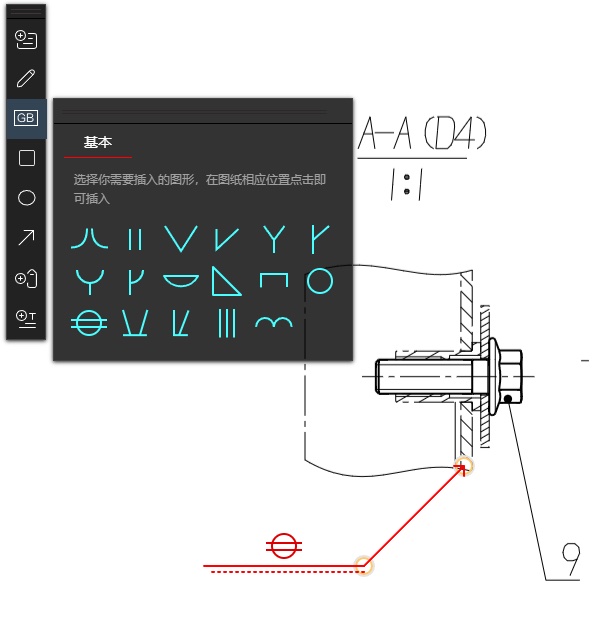
For manuscripts with special needs, revision symbols or welding marks (such as CAD drawings) can be inserted
- Create graphic annotations
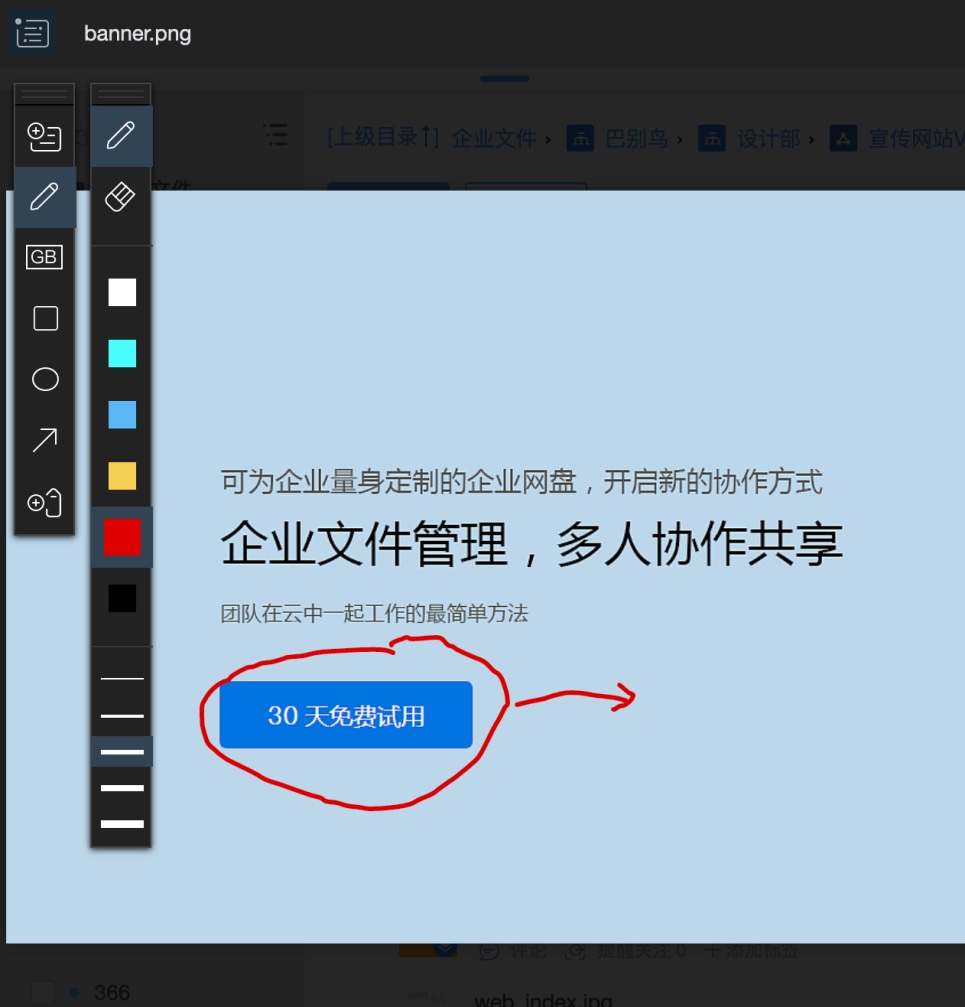
It also supports the use of graphic frame selection annotations, supporting rectangles, ellipses and arrows.
- Voice annotation
The Babel mobile device APP can create voice annotations. Voice annotations can be viewed (listened to) on web pages and clients, but cannot be created.
- Hand-drawn annotations
Supports real-time drawing on manuscripts or documents. Participants can see the drawn lines in real time and mark the artist's nickname.
Function module
- Comment management module
You can manage created comments and comment status, check other versions of comments, and switch to the corresponding version
- Review workspace
Babel can use comments during document review and display review-related panels, allowing reviewers to convey review information more accurately and conveniently.
- Eagle Eye
Eagle Eye can display the area of the image viewport when the image is zoomed in.
- Version comparison
Babel Previewer supports file comparison function and can also compare different versions of files.
- File directory
For files with directories (word, pdf), BabelBird also supports displaying the file directory during preview.