
Auto Organize Files
Automatically classify and move files according to rules such as time, keywords, format, etc.
Function Overview
With the accumulation of collaborative data in the platform, how to keep the underlying "any folder synchronization" architecture and permission control directory clean has become the key to enterprise digital asset management. The "Automatically organize files" function allows the system to automatically classify and route files to the corresponding target directory according to preset time periods or content characteristics. This function ensures that massive documents are highly structured during the circulation process and avoids the lag and errors of manual archiving.
Flexible triggering mechanism and scope
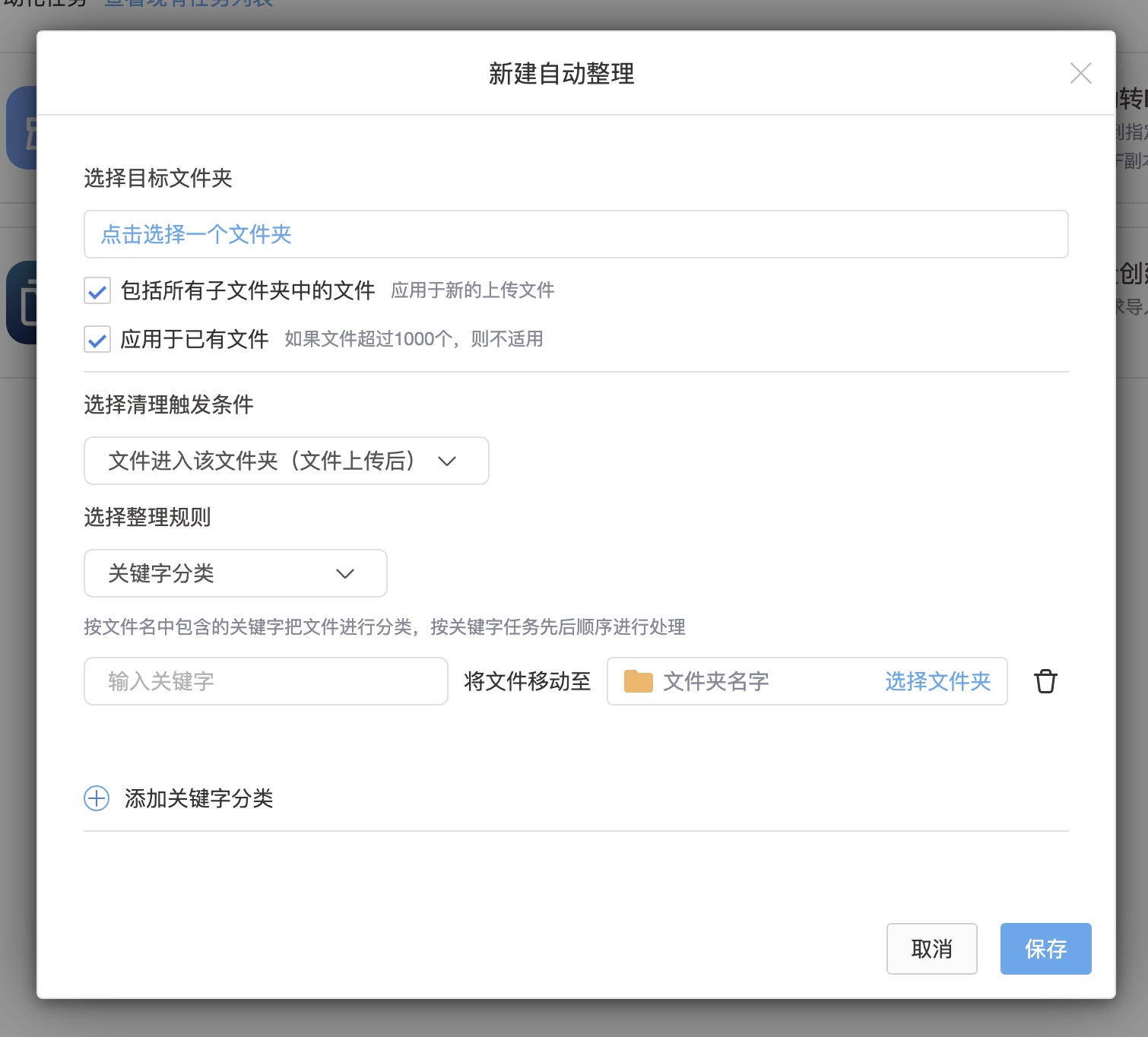
Users can enter the configuration through the "Task" option in the right-click menu of the folder or the automated task list panel on the left. The configuration covers the following triggering and action rules:
Event-driven (default): When a file is uploaded or moved to a specified trigger folder, the system responds immediately and starts organizing actions.
Period-driven: Suitable for centralized data archiving scenarios. The system can uniformly perform file sorting according to a fixed period (for example, set to 23:00 every day).
Historical traceability: Rules can be applied to new files and all subfolders, or you can check "Apply to existing files" to batch trace the historical inventory data. To ensure the stability of the system, traceability processing shall not exceed 5,000 files at a time.
Core intelligent sorting rule engine
The system provides three highly customized classification rules to meet data archiving needs in different dimensions:
- Structured archiving based on time dimension (classified by month/year)
The system can automatically create corresponding subfolders (such as "2025", "2025-10") according to the corresponding year or month when files are added to the network disk and move related files into .
The same as when classifying by year or month, the system has the intelligence to create files on demand. If no files are generated within a specific period (such as a certain month), the system will not redundantly create empty folders for that month.
- Content-based intelligent routing (classified by keywords)
Based on specific keywords contained in the file name, the system automatically distributes and moves files to preset destination folders.
Format recognition: File extensions (such as "jpg") can also be configured as keywords to achieve targeted aggregation of specific types of materials.
Multi-line parallel routing: Users can continuously add multiple routing rules through the "Add Keyword Classification" button. It not only supports distributing files containing different keywords to different directories, but also supports pointing multiple keyword tasks to the same target folder.
Anti-duplication and priority control: Keyword matching is strictly processed in the order set by the task. For example, when the file name is "123ABC final draft.jpg", if the first rule in the keyword list is "123" and the second rule is "final draft", then the file will give priority to matching the rule of "123" and execute the move. The system has built-in anti-repetition detection. Each keyword is only allowed to be entered once. Repeated entry will trigger the "Please re-enter" error interception.
Same-name conflict resolution: During the process of moving and organizing files, if a file with the same name is encountered in the target folder, the system will automatically append a number to the file name to ensure that the data is not accidentally overwritten.